The cleaner app
Today's route by building, the same checklist every visit, and a photo before and after. Nothing completes without them.
Sample data
AI example

CaneClean is the app and the professional cleaners that keep your side of the dorm clean. Book in a minute, track every visit, get photo proof.Pro cleaners for your room or apartment.
Tap the mess on your side.
0 of 4 cleaned
Choose weekly or twice-weekly, then a day and a morning, afternoon or evening window. You see your price before you sign up.
They work through the same checklist every visit. Your roommate's side is never touched.
Every visit ends with photos in your app, so you can see exactly what was done.
Silent 30-second explainer made with AI-generated example footage. Friends coming over in 10? Cleaning always gets pushed to later. Your time is worth more. A spotless room, zero effort. 1: pick your plan. 2: tap your side and add photos. 3: choose your days. 4: pay once for the semester. Cleaning day: the cleaner greets Sofia, works through the checklist on her side of the room, and takes before and after photos. Your room is guest-ready. Professional cleaners, photo proof, skip anytime. Sign up for the semester at caneclean.app.
AI example
The platform
One system connects you, your cleaner and our operations team. You book and manage everything in the app, and every visit leaves a record you can see.
Sample data
Pick weekly or twice-weekly, your day, and a morning, afternoon or evening window. You see the semester price before you pay.
On screen: the booking step, with the Weekly plan, Monday and the afternoon window chosen.
Sample data
Skip a visit or pause your plan from the app. Need another day? Move a cleaning once, at least 24 hours ahead, to this week or next.
On screen: the next cleaning, Monday afternoon, with options to reschedule, skip it, or pause cleanings.
Sample data
Your app shows the visit in progress. On your cleaner's phone the checklist ticks off item by item, and the visit can't be completed until every item is done.
On screen: the cleaner app, with four of seven checklist items ticked on the student's side.
Sample data
Each visit ends with a before and an after photo of your side, right in your app.
On screen: a finished visit with its before and after photos.
Sample data
Today's route by building, the same checklist every visit, and a photo before and after. Nothing completes without them.
Sample data
Capacity by building and time window, every cleaning by status, and the visit photos in one place for quality review.
Sample data
Photo proof on every visit
Before and after, in your app.
Skip or pause from the app
You do it yourself, in a few taps.
Reschedule with 24 hours' notice
Each cleaning can move once.
Your side only, by design
Your roommate's things stay untouched.
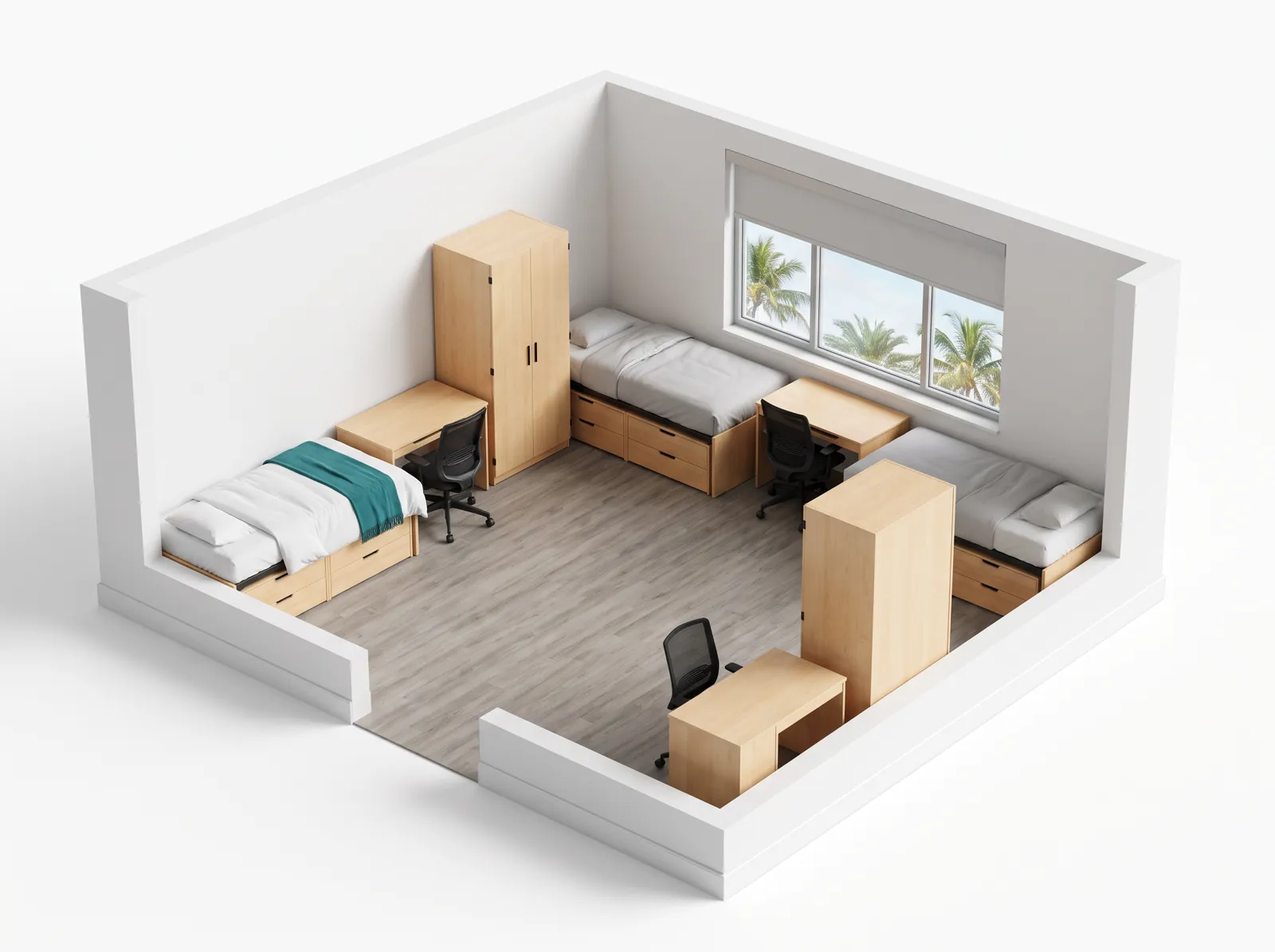
Shared rooms at UM come as doubles and triples. Here is each one, and exactly which part we clean.
Tap a part of the room to see what gets cleaned there.
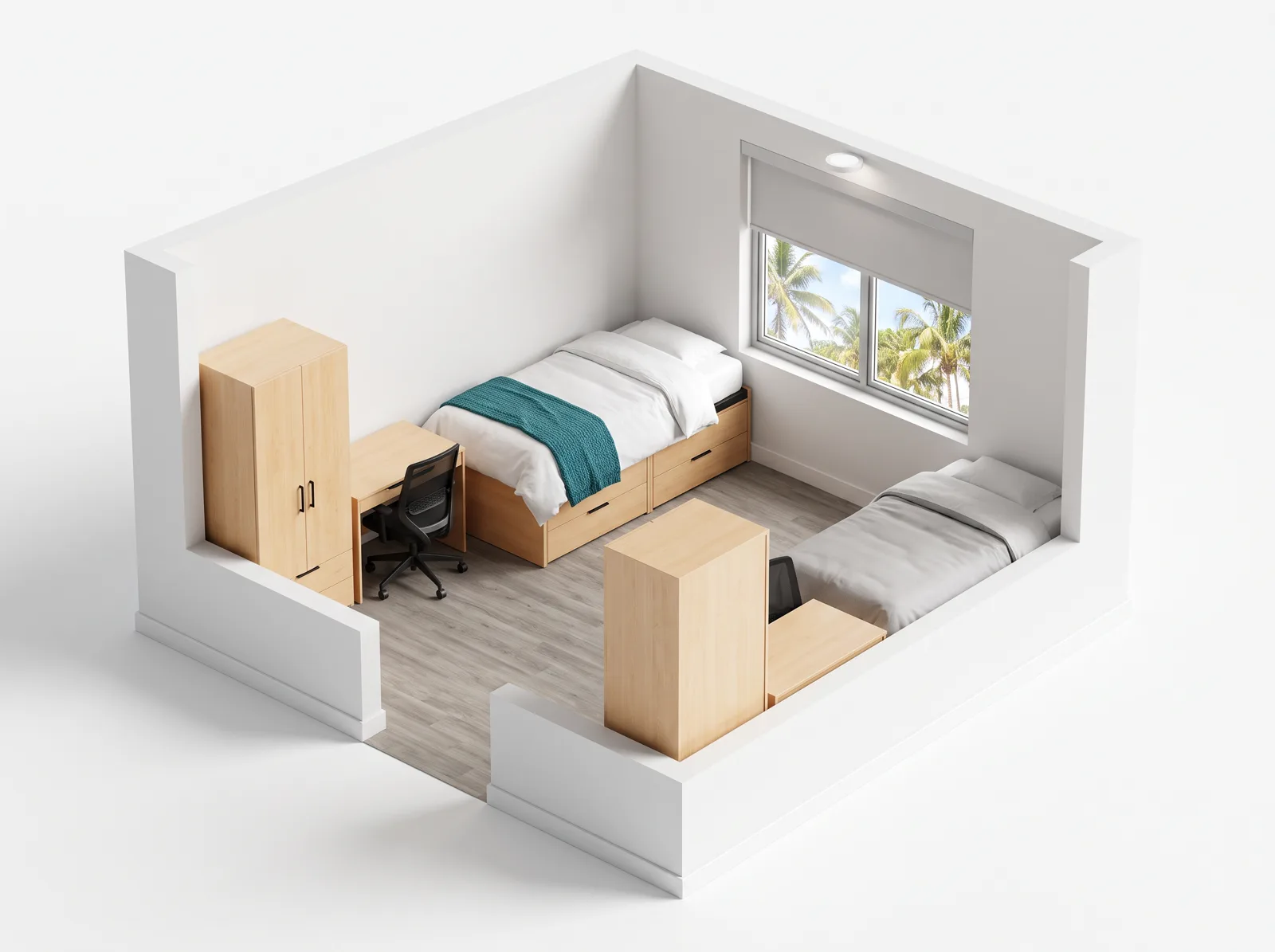
Based on published Centennial Village room layouts. Independent, not affiliated with the University of Miami.
A before and after photo of every cleaning lands in your app. Drag to compare.
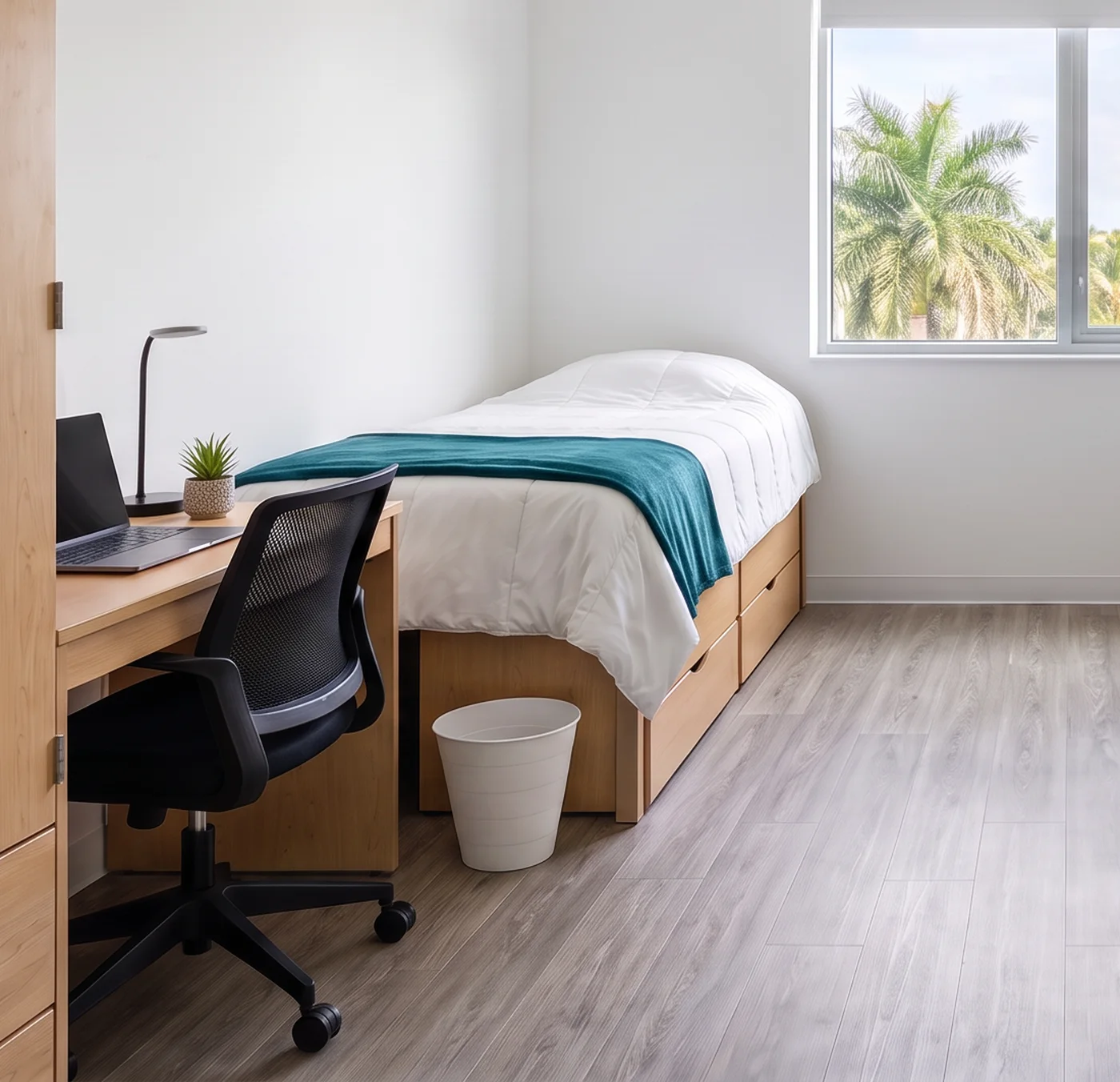
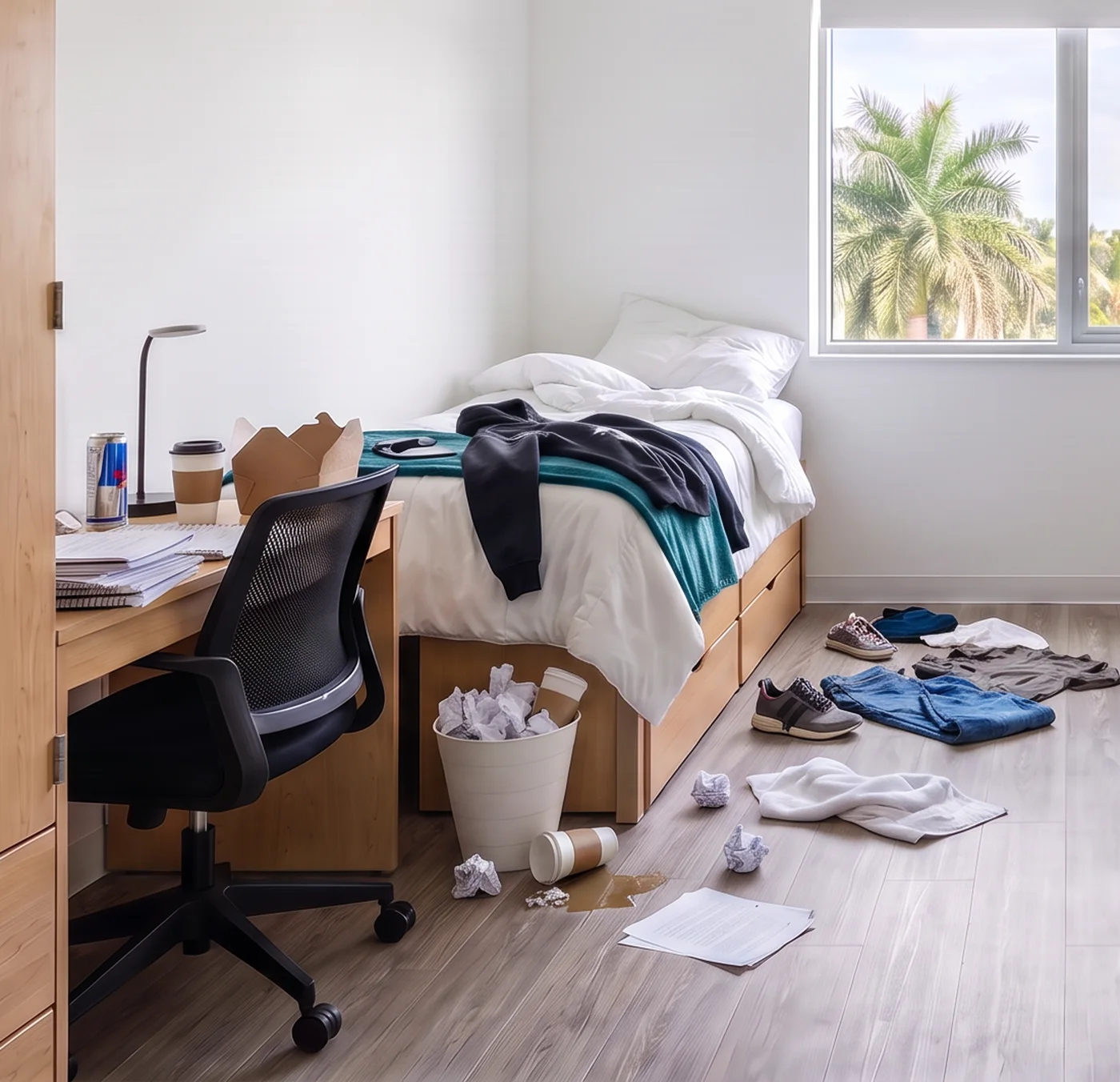 BeforeAfter
AI-generated example. Your app shows real photos of your room.
The same checklist every time. A cleaner finishes every step before the visit can be completed.
Joining late? Semester plans charge only for the visits left.
One visit, any time
$45 shared room
$49 own room
Choose One-time cleaningSemester, 8 visits
$279 shared room
$309 own room
Choose Every 2 weeksSemester, 15 visits
$519 shared room
$569 own room
Choose WeeklyLive off campus? Apartment cleans aren't open for booking yet. Join the waitlist for updates. Join the waitlist
Never. Every visit covers only your side: your bed, your surfaces, your floor space. At signup you confirm your roommate is informed and okay with the arrangement.
Either works. Be there, or authorize the cleaner to come during a scheduled absence. You pick which at signup.
Yes. Your cleaner comes only for your scheduled visit, and only to your side of the room.
Professional cleaners we hire and train ourselves. Every cleaner is approved by CaneClean and agrees to the CaneClean Standard before their first visit.
No. We buy everything and your cleaner brings it to every visit: disinfectant, glass and floor cleaner, microfiber cloths, a vacuum, a mop and trash bags.
Skip any single visit, or pause your whole subscription until a date, right from your home screen. No penalty, and no need to call anyone. Skipped or paused visits aren't refunded or carried over to later dates.
A before and after photo lands in your app after every visit, so you can see exactly what got done.
You choose the day or days of the week and a morning, afternoon or evening window during onboarding. Cleanings continue through finals.
A one-time cleaning is $45 for a shared room or $49 for your own room, and it is always available. Semester plans are paid once: every 2 weeks (8 visits) is $279 shared or $309 own room, and weekly (15 visits) is $519 shared or $569 own room. Joining late? Semester plans charge only for the visits left.
Yes, any time from the app (Home, then Cancel plan). Cancel before your first visit and you get a full refund. After cleanings have started, you get back the cleanings that haven't happened yet, minus a $25 cancellation fee. Once the semester is 8 weeks in, plans that have already had a cleaning can't be cancelled for a refund, though you can still pause or skip. Read the refund and cancellation policy.
Each visit covers only your side of the room: making your bed, dusting, vacuuming or sweeping, spot-mopping hard floors, emptying your trash, wiping your desk and surfaces, and a quick maintenance check. We don't do dishes, in-room bathrooms, or anything belonging to your roommate. Laundry and cleaning inside the fridge are available as add-ons. Read the terms of service.
If we miss a visit or can't get in through no fault of yours, we'll offer a make-up visit that week or refund that visit, your choice. If your cleaner couldn't get in because of the access method you chose (for example, nobody answered), that visit counts as used. Read the refund and cancellation policy.
Email hello@caneclean.app within 48 hours of the visit. We'll re-clean for free or refund that visit. Read the refund and cancellation policy.
No. CaneClean is an independent student venture, not affiliated with the University of Miami.
We clean for students, one dorm room at a time. Want to clean with us? Apply to clean. Do you manage a building? Email us and we'll talk through what could work for your residents.
Answer a few questions and see your semester price.
Founding member offer: a bonus cleaning, free
Join the waitlist before Dec 15 and get one free visit on your plan: a bonus cleaning added to your first semester plan.
One bonus cleaning per student, added to your first paid semester plan. Join by 11:59 pm ET on Dec 14, 2026, using the email you'll sign up with.
Join the Spring 2027 waitlist and we'll email you the moment sign-ups open.